Split an image across A4 sheets and print it as a poster
Takes an image or a PDF, divides it across A4 pages without stretching it, and exports one print-ready PDF that lines up when you cut and tape the sheets together. An ordinary home printer is enough.
Version 1.2 · Windows, macOS, Linux · MIT licensed, free · nothing is uploaded anywhere
Circles stay circles
Most tools stretch the image to fill the page grid: hand a 16:9 photo to a 3×2 sheet layout and faces get wider, circles flatten. Here the aspect ratio is preserved and the leftover area is left white.
Three steps to a poster
Once the app is open, all you decide is how many sheets you want.
-
Hand it the file
Drop it on the window, browse for it, or paste a web address. JPG, PNG, TIFF, PSD, HEIC, RAW, PDF and AI files are accepted; for a multi-page PDF the app asks which page becomes the poster.
-
Say how many sheets
Enter columns and rows — 4 × 2 means eight A4 sheets. The app works out the finished poster size and the printing resolution, and warns you before export if that resolution is too low.
-
Export and print
You get a print-ready PDF, an image of every tile and a printing report. In the print dialog keep "Fit to Page" off and "Actual Size" on, or the pieces will not line up.
Two modes, opposite jobs
The same app splits one image into many sheets, and gathers many images onto one.
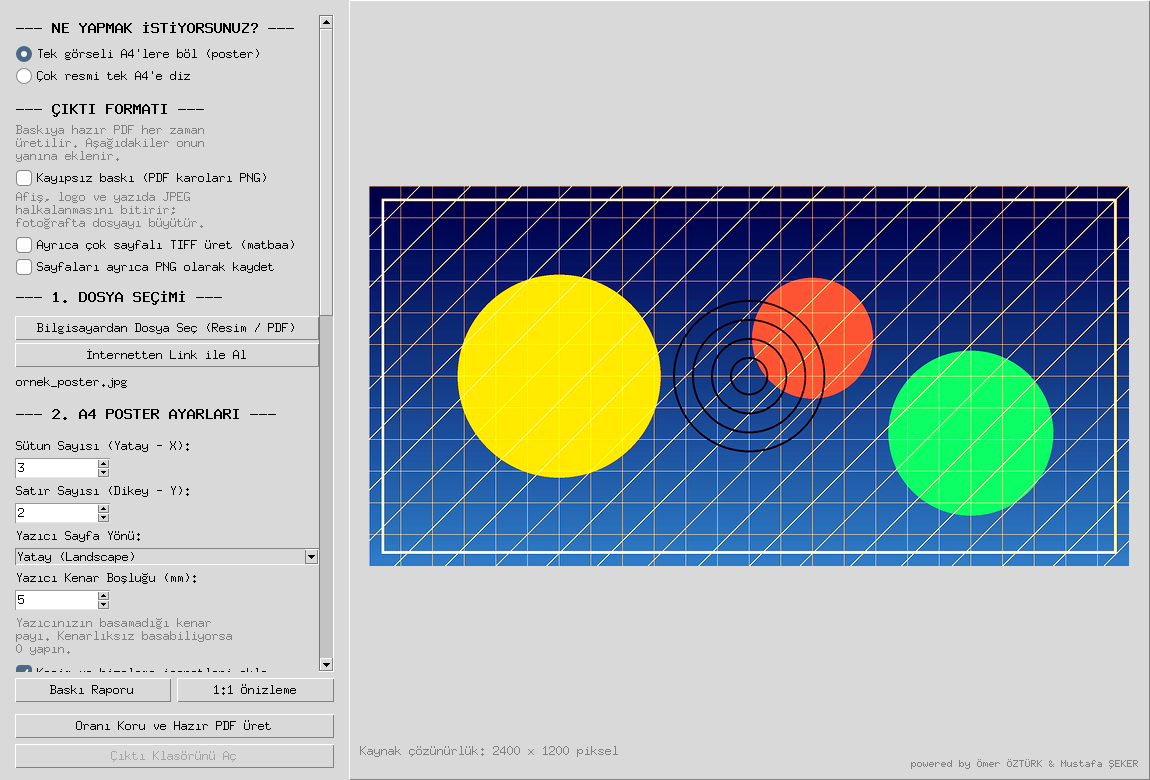
Poster — one image across many A4 sheets
Classroom display, shop window, party banner. Every sheet carries cut lines, corner marks, alignment crosses and a neighbour label, and the PDF opens with an assembly map.
- Overlap margin gives you tolerance when taping
- The printer's unprintable margin is accounted for
- Every sheet prints at exactly the same scale
Tiling — many images onto one A4
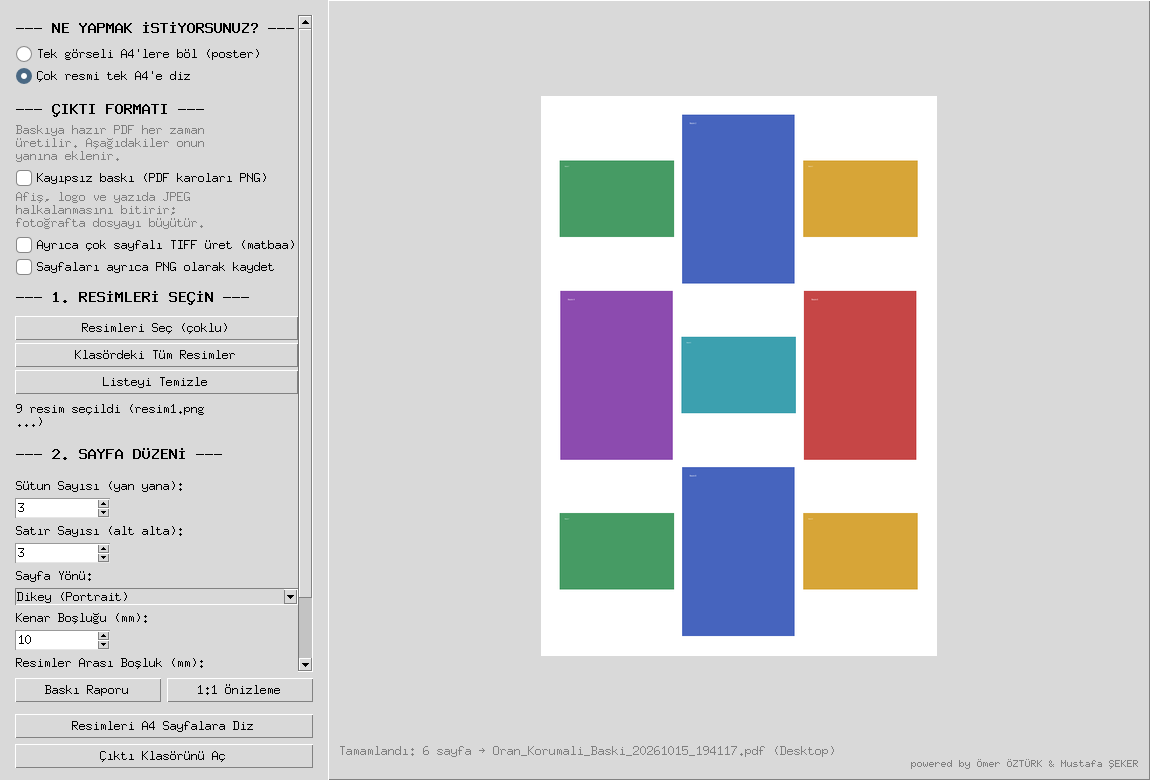
Catalogue sheet, product photos, ID photos. Images are never cropped; each one is fitted into its cell with its aspect ratio intact. Every drop adds to the list instead of replacing it.
- You choose the grid and the number of cells
- Fitted, not cropped
- Output is again a print-ready PDF
The details that decide whether it prints
The app does more than resize; it handles the things that make the pieces actually fit on paper.
Cutting and assembly aids
Cut lines, corner marks, alignment crosses and neighbour labels on every sheet, plus an assembly map at the front of the PDF.
Printing report
Size, DPI, sheet count, total length to cut and any warnings — shown before export and written to the output folder as a text file.
Wide format support
JPG, PNG, BMP, WEBP, TIFF, PSD, HEIC, RAW (CR2/NEF/ARW/DNG), PDF and AI. CMYK and 16-bit sources are converted to print-ready RGB.
1:1 actual-size preview
Shows a region of the poster at its real paper size, calibrated with an on-screen ruler, so you decide before spending ink.
Colour management
Embedded ICC profiles are converted to sRGB, with colour and contrast compensation for matte, glossy and copier paper.
Output format options
A print-ready PDF every time, optionally with lossless PNG tiles, a multi-page TIFF for print shops, and per-page PNGs.
Runs offline
Splitting, scaling and PDF export happen on your machine. The optional AI upscaling add-on also runs locally.
Print enhancement
Unsharp mask, auto levels and white balance, noise reduction, with presets for photos, posters, scans and phone pictures.
Download
A single file, no installer, opens on double click. Version 1.2, MIT licensed.
If macOS says the developer cannot be verified on first launch, right-click the file and choose Open → Open. Prefer to run from source? Python 3.10 or newer is all you need; steps are in the repository. The illustrated manual is in Turkish: KULLANIM_KILAVUZU.pdf.
Questions
How many A4 pages can I split an image across?
You choose the columns and rows — 4 columns by 2 rows makes eight A4 sheets. The app calculates the finished poster size and the printing resolution for that grid, and warns you before export if the resolution is too low.
Is this an offline alternative to PosteRazor or Rasterbator?
Yes. It is a desktop application for Windows, macOS and Linux. Splitting, scaling and PDF export all happen on your machine, so nothing is uploaded to a server.
Do I need Python installed?
Not if you download the packaged build from this page — it is a single file and runs on double click. Running from source requires Python 3.10 or newer.
Which file formats can I open?
JPG, PNG, BMP, WEBP, TIFF, PSD, HEIC, RAW files such as CR2, NEF, ARW and DNG, plus PDF and AI. CMYK and 16-bit sources are converted to print-ready RGB.
What should I watch out for when printing?
Turn off "Fit to Page" in the print dialog and print at "Actual Size" or 100% scale. Otherwise the sheets come out at different scales and the pieces will not line up.
Can it print several photos on one page?
Yes — that is the tiling mode. It arranges multiple images on a single A4 sheet in a grid without cropping them, keeping each image's aspect ratio.
Is the interface in English?
The application interface is in Turkish, and so is the illustrated manual. The workflow is short — pick a file, set columns and rows, export — and this page describes each control, but a fully English interface is not available yet.